

01
Pick a task
Browse the tasks, pick Get transition assistance, and Bravo answers with your TAP timeline from official sources.

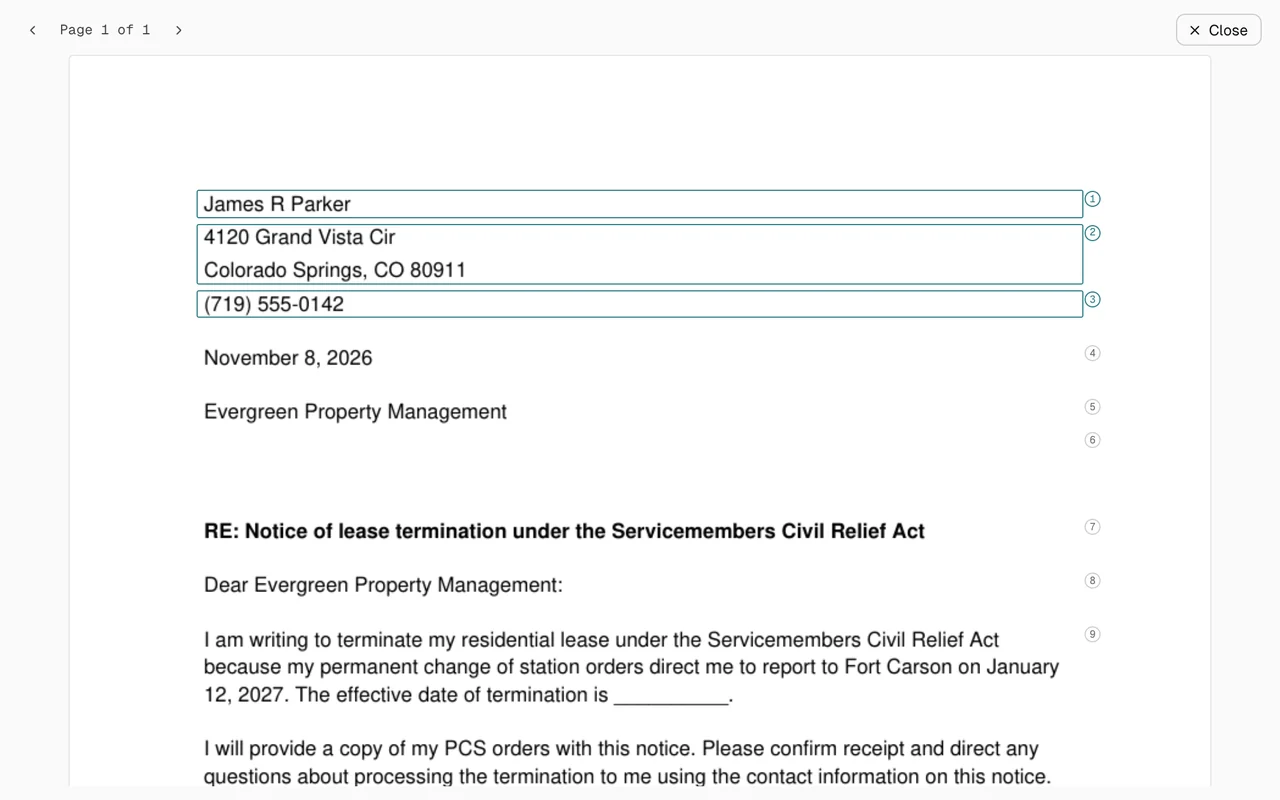
Tell Bravo the job. It drafts the letter, explains the form box by box and answers from official sources. You stay in command.

Help with VA benefits opens in the Benefits Workspace, free and separate from your subscription. Your other work runs in Bravo’s Workspace. Bravo does the reading and drafting in both, and you leave with something you can use.
A few examples from 60+ tasks, shown as they will work for early access members. The details are invented and wait times are shortened.
Browse the tasks, pick Get transition assistance, and Bravo answers with your TAP timeline from official sources.
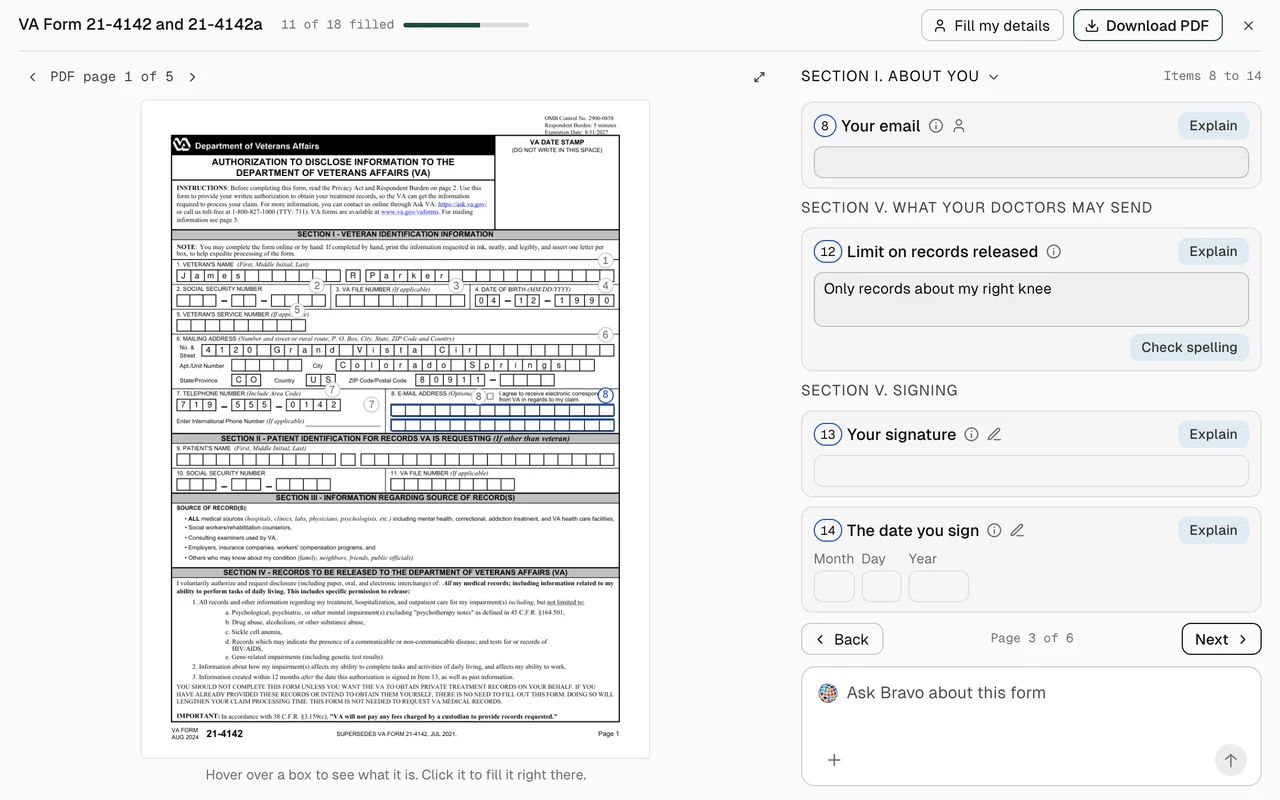
Bravo currently opens 35+ VA forms (our goal is 60+) and explains any box you ask about. You fill in every box yourself, by typing or by copying in your own saved details, and download the PDF.
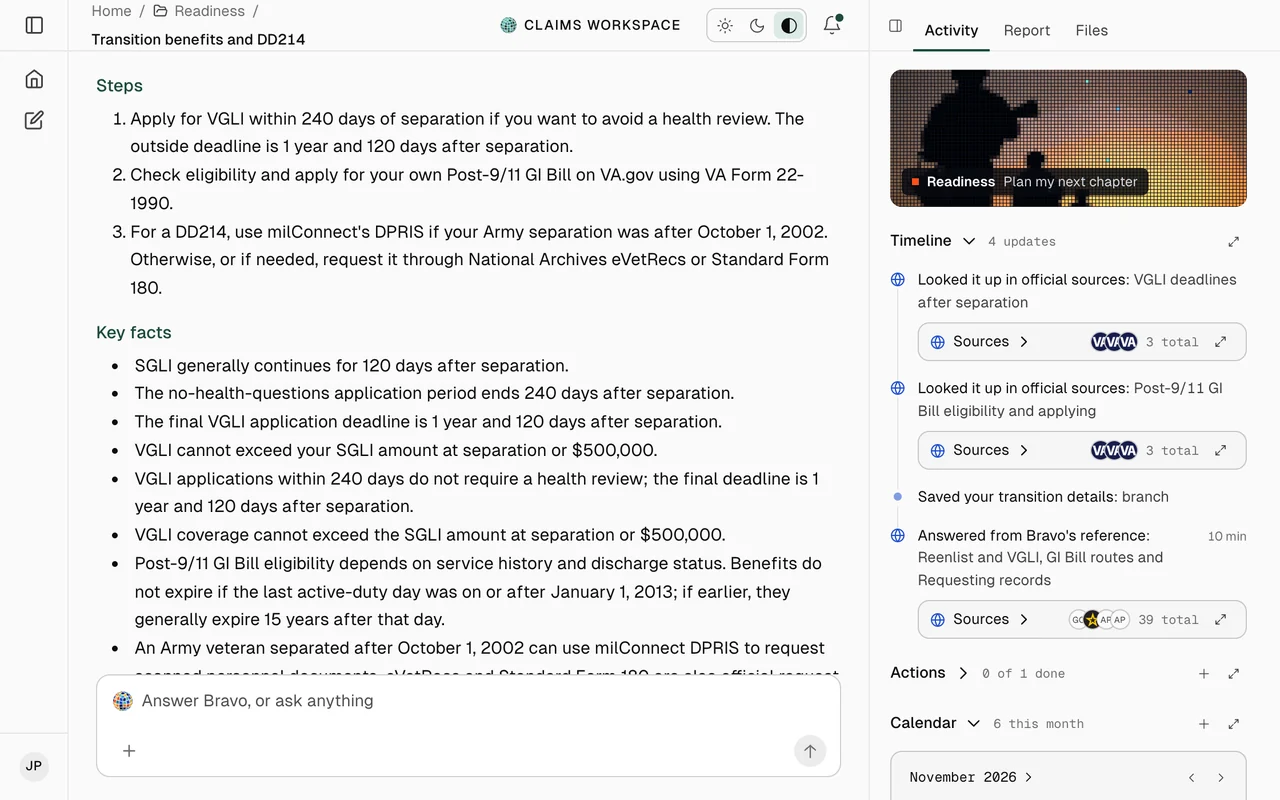
Ask in plain words. Bravo searches official sites, quotes them with links and saves the answer with your next steps.
Browse the tasks, pick Get transition assistance, and Bravo answers with your TAP timeline from official sources.
Bravo currently opens 35+ VA forms (our goal is 60+) and explains any box you ask about. You fill in every box yourself, by typing or by copying in your own saved details, and download the PDF.
Ask in plain words. Bravo searches official sites, quotes them with links and saves the answer with your next steps.
Bravo reads official sources and what you choose to share. It can’t file anything with the VA; you do that yourself.

80+official sites Bravo can search, plus 3,068 regulations and forms cataloged

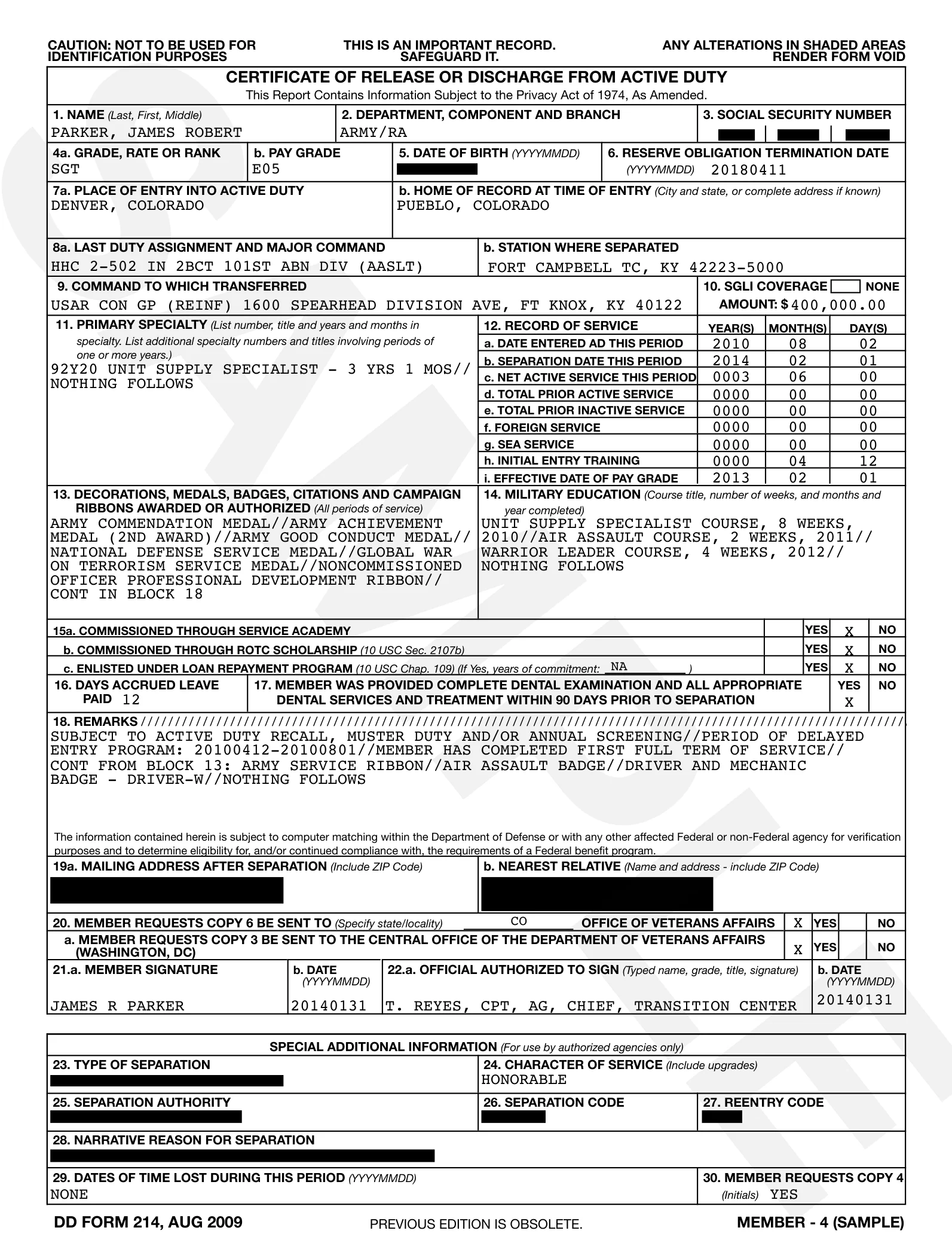
Read back to youBlacked out first


Email to your landlordDrafted by Bravo. Not sent.
Approve
TAP counseling, 9:00 AMDrafted by Bravo. Not added.
ApproveAnswers quoted from official sites, with links you can check.
Add a DD214 (discharge papers) or a decision letter and Bravo reads it back. Identity numbers are blacked out first.
Emails and events are drafted for you to approve. Connecting an account isn’t self-serve yet.
Bravo can’t file anything with the VA. You download, sign and file the form yourself.
Bravo isn’t one and won’t pick one. It explains accreditation and links the VA’s search.
Your files, actions, reminders and calendar stay together, across six folders.

Start with the task that’s holding you up.